Overview
FilterPixel is an AI-powered desktop application that helps professional photographers streamline their post-shoot workflow. A wedding photographer can spend upwards of 8 hours just filtering through thousands of images to find the keepers. FilterPixel was built to cut that down dramatically.
I joined as an early team member and owned design end-to-end: user research, interaction design, and visual design. Over 10 months, I took the product through three major iterations, each informed by direct research with working photographers.
Context
FilterPixel was a small, early-stage startup building a desktop app for Mac and Windows. The vision was to become the one-stop application for professional photographers to manage projects and cull images faster using AI.
The team was lean: myself, another designer, engineers, and the CEO. Everyone wore multiple hats. We followed a design sprint process to ship fast without cutting corners on research. I was responsible for the full design surface: research, flows, visual design, and interaction patterns.
Process
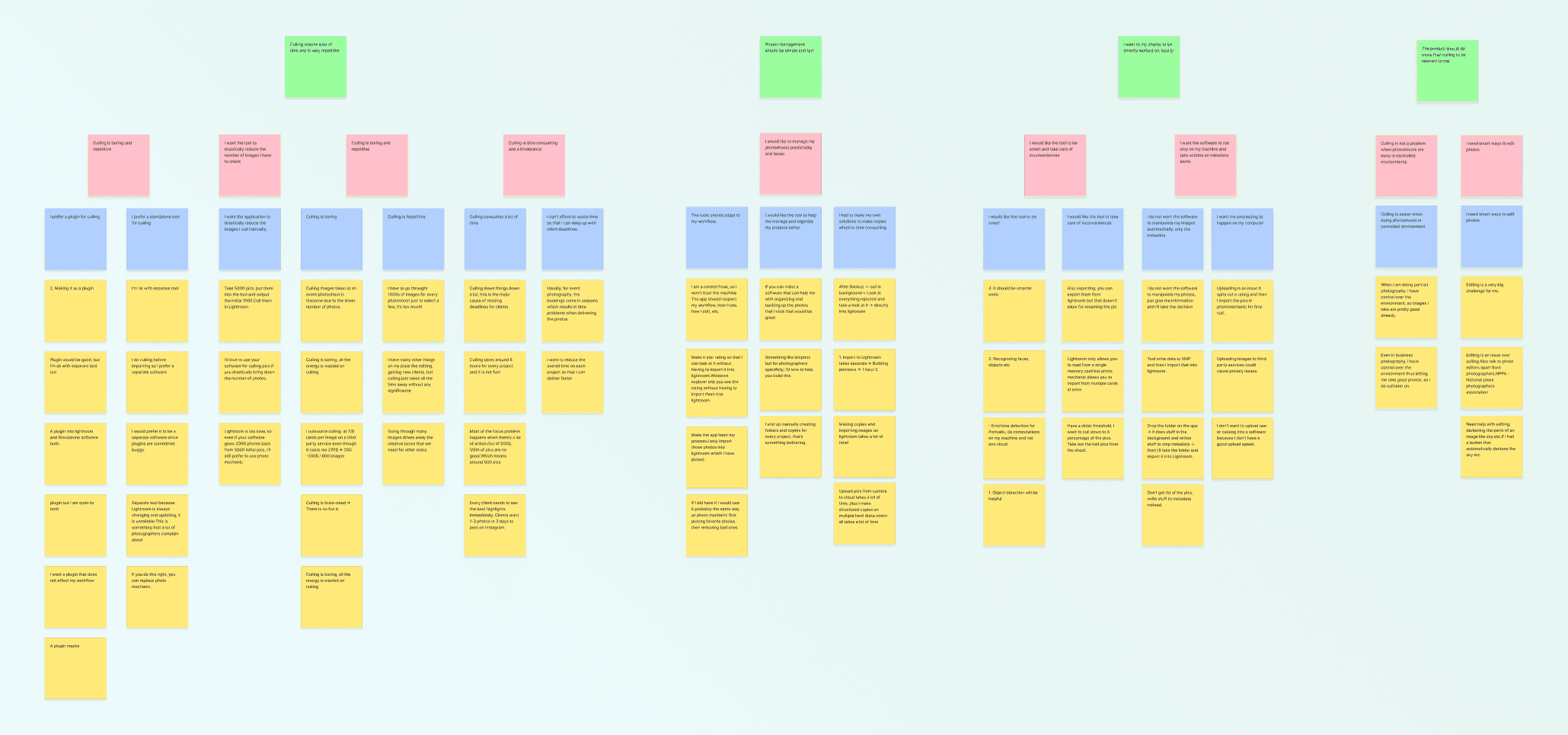
We started by interviewing 9 professional photographers to understand their workflows. Three pain points kept surfacing:
- Repetitive: photographers were spending hours on auxiliary tasks that added nothing to their deliverables
- Chaotic: post-shoot workflows were held together with hacky workarounds and fragmented tools
- Time-crunched: tight client deadlines left no room for inefficiency
This framed our design question: How might we make a professional photographer's workflow efficient, streamlined, and flexible?
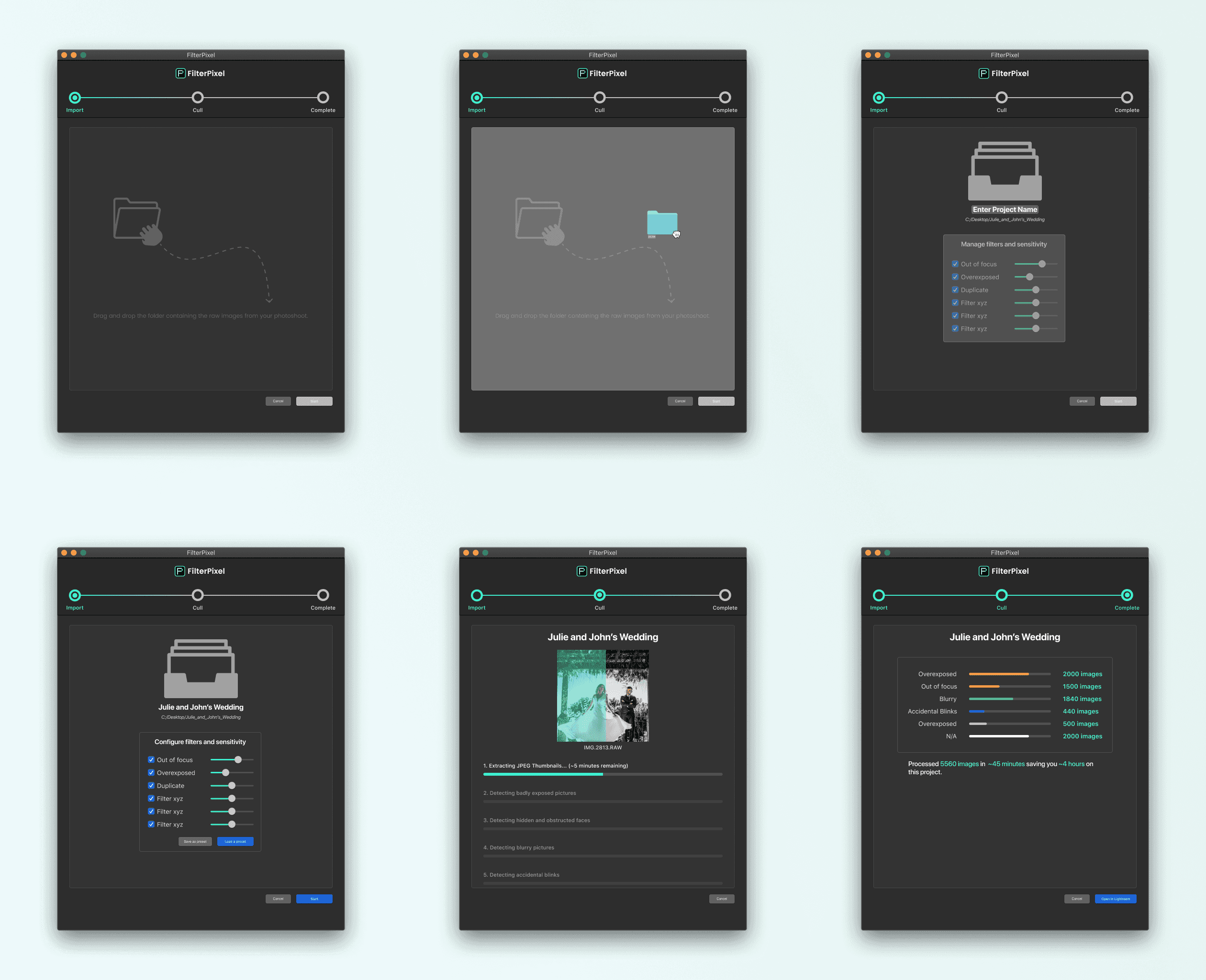
First iteration. We built FilterPixel as a lightweight tool. Drag a folder in, let AI auto-filter and tag photos, export to Lightroom. But usability testing revealed a fundamental issue: photographers didn't trust the AI to make decisions for them. Photography is subjective, and they wanted to stay in control.
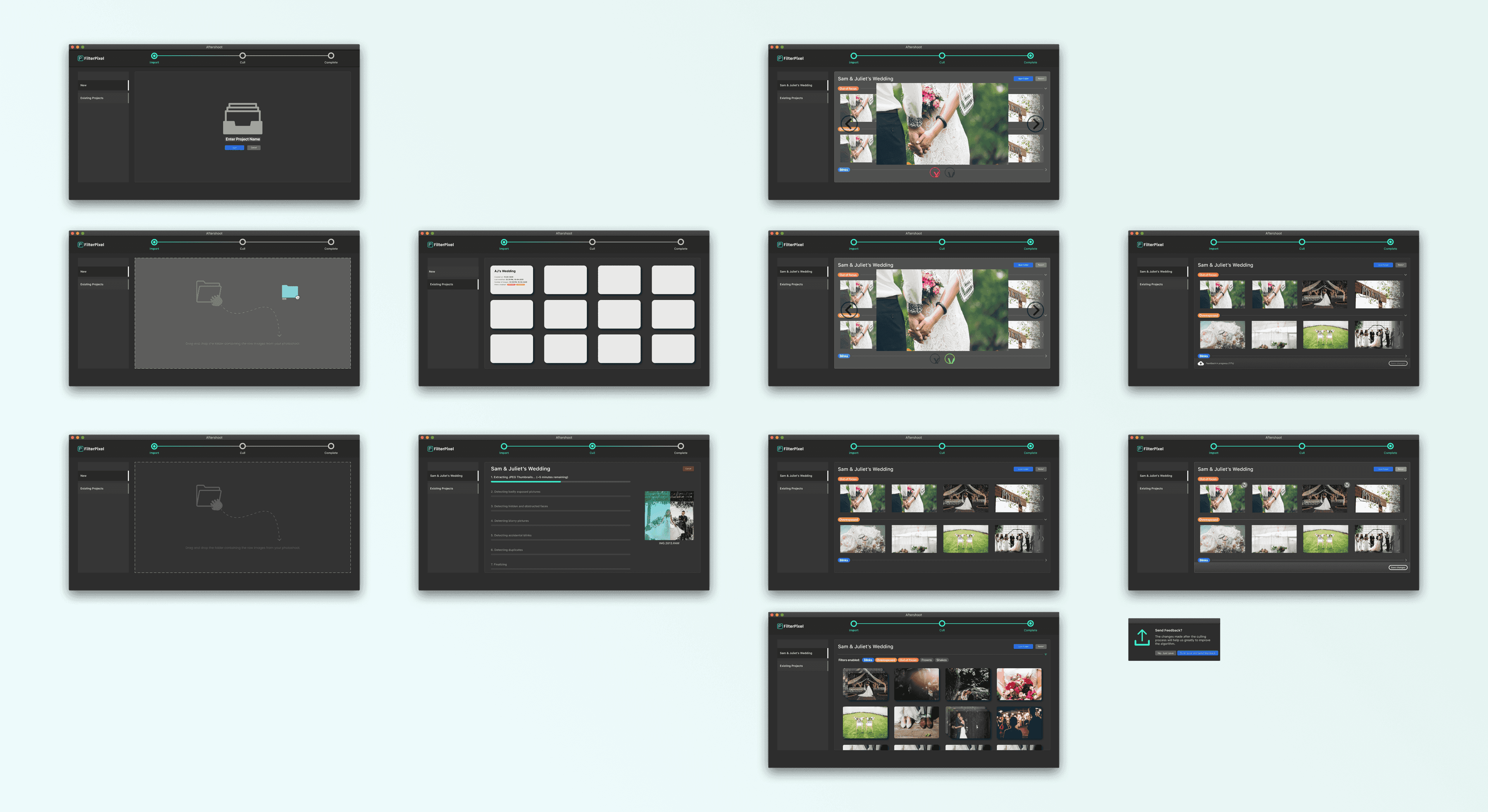
Second iteration. I repositioned AI from decision-maker to advisor. It only flagged objectively bad photos (out of focus, eyes closed) and left the final call to the photographer. I also added a project management hub so photographers could access all their work from one place. We shipped this to insider photographers for a week-long test drive, then ran contextual inquiry sessions. Feedback: the interface was wasting screen space, and the AI still felt like a black box.

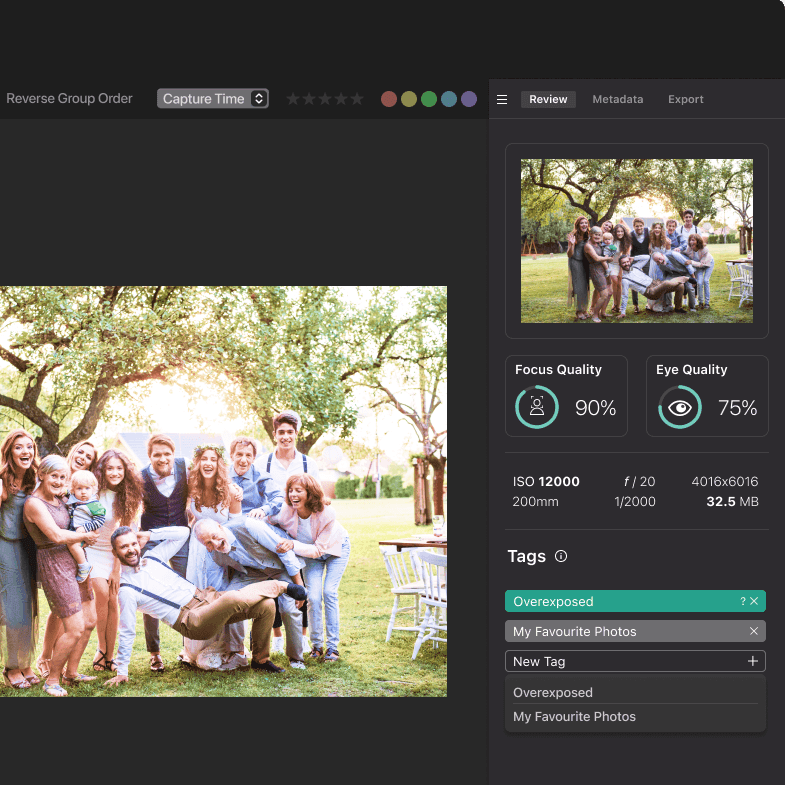
Final iteration. Two major shifts. I designed panel-based, resizable layouts so images could take up maximum screen space, inspired by how Lightroom and Photoshop handle real estate. And I made the AI transparent: per-image feedback explaining why it rated each photo, with objective metrics like focus quality and face detection scores. The AI went from black box to trusted collaborator.


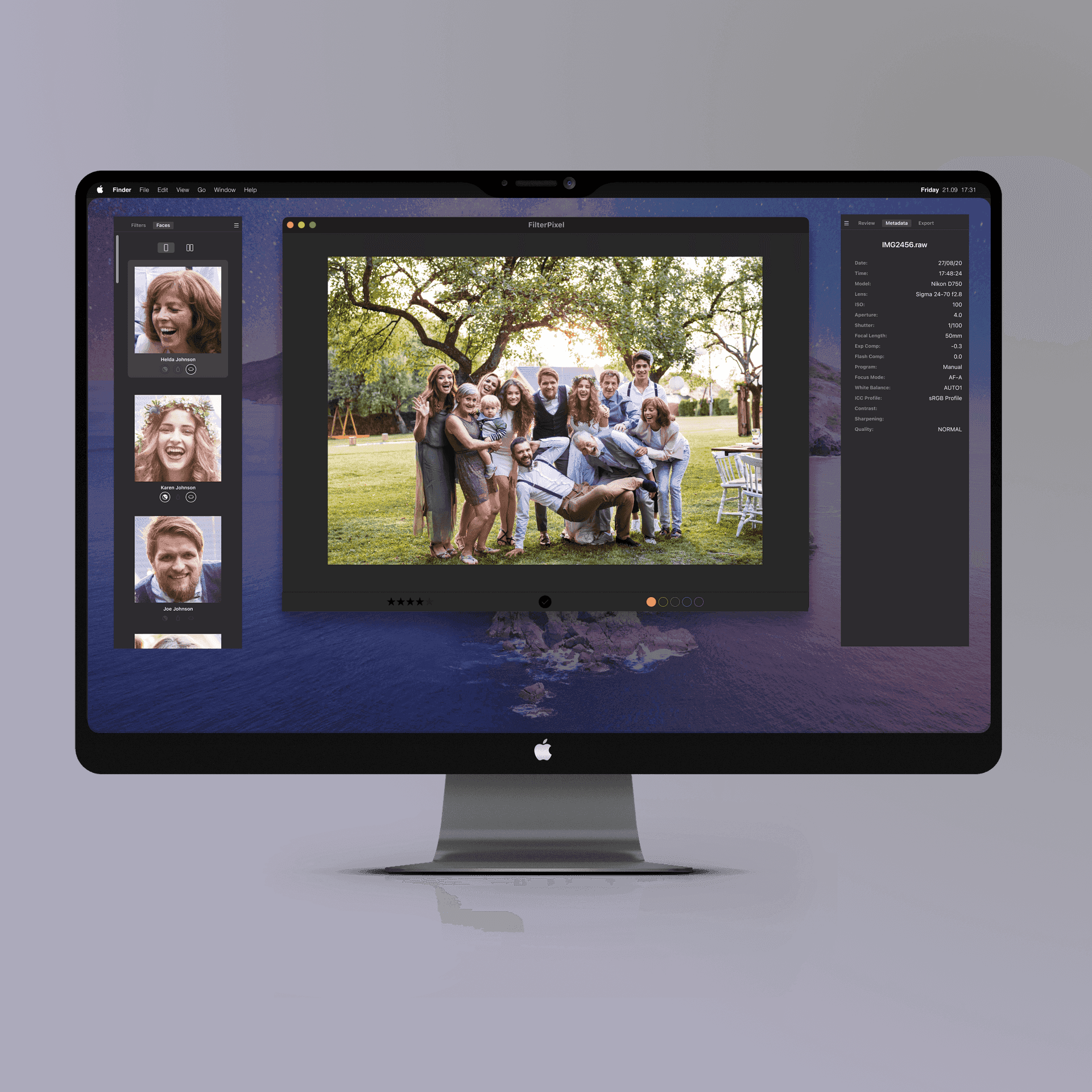
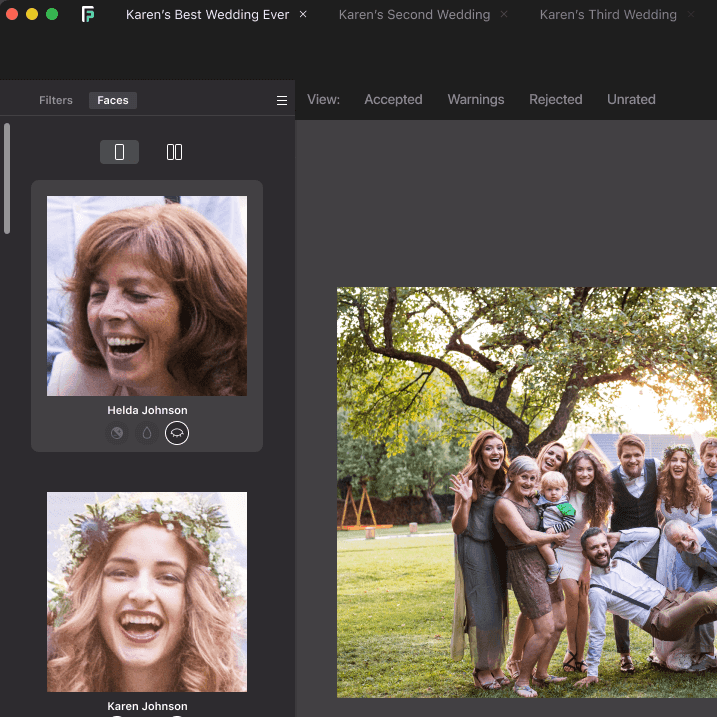
I also designed a dedicated Faces View panel for inspecting face details without the constant zoom-and-pan cycle. It became one of the product's most-loved features.

Shipping
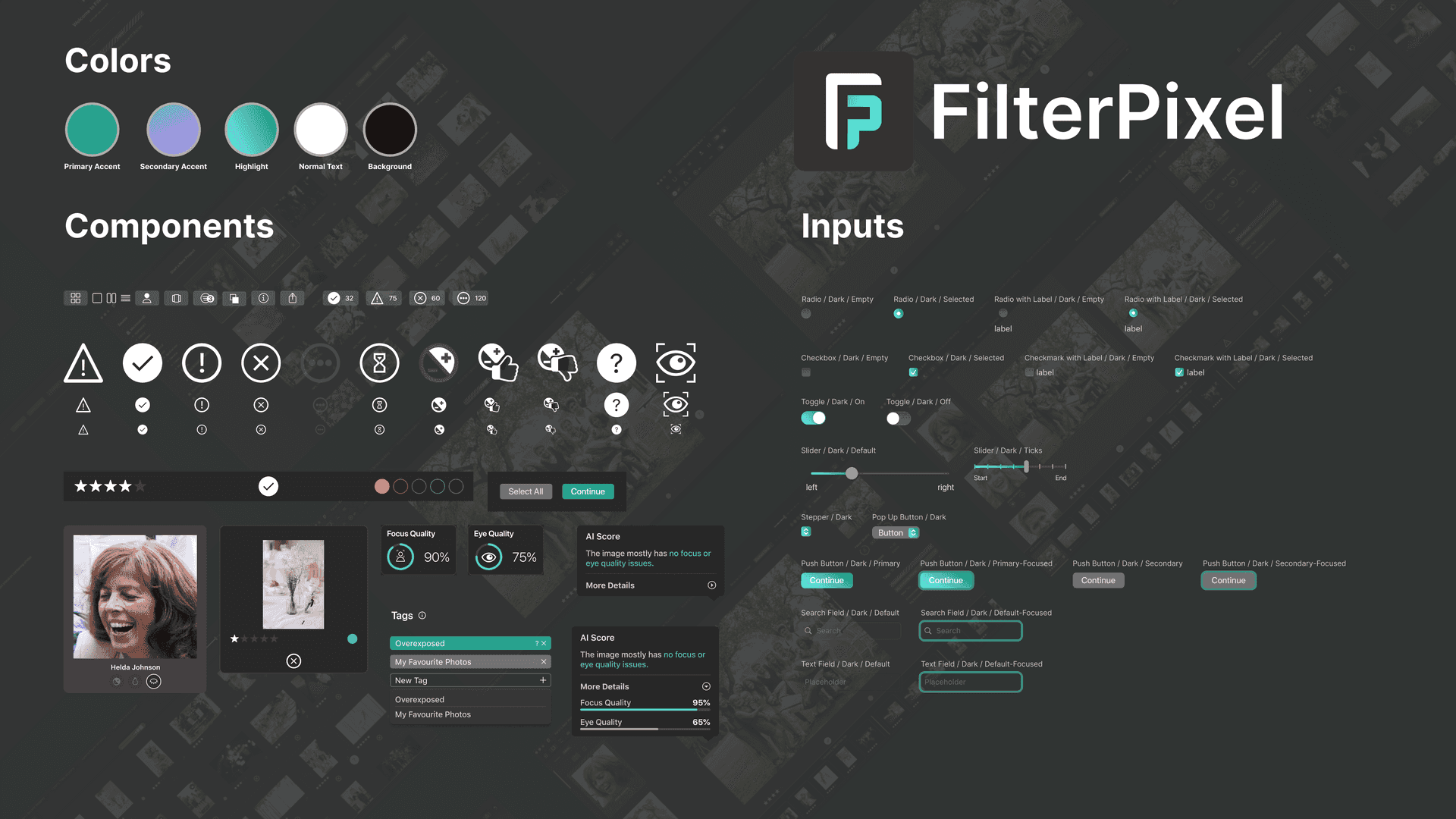
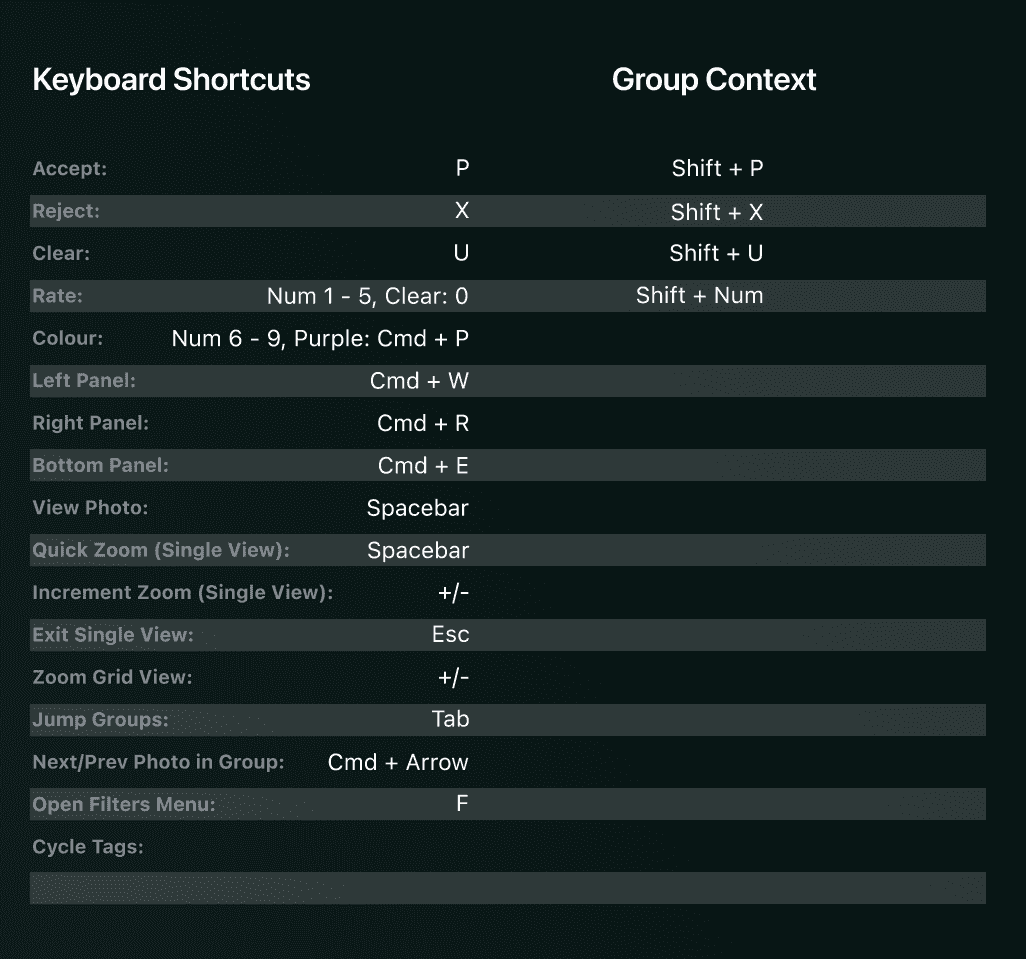
The final product shipped with a design system based on Apple's Big Sur UI kit, matching the Mac-centric workflow of our target users. I mapped keyboard shortcuts to match Lightroom and Photoshop conventions to flatten the learning curve.

Key features I designed and shipped:
- AI-assisted culling with transparent, per-image quality feedback
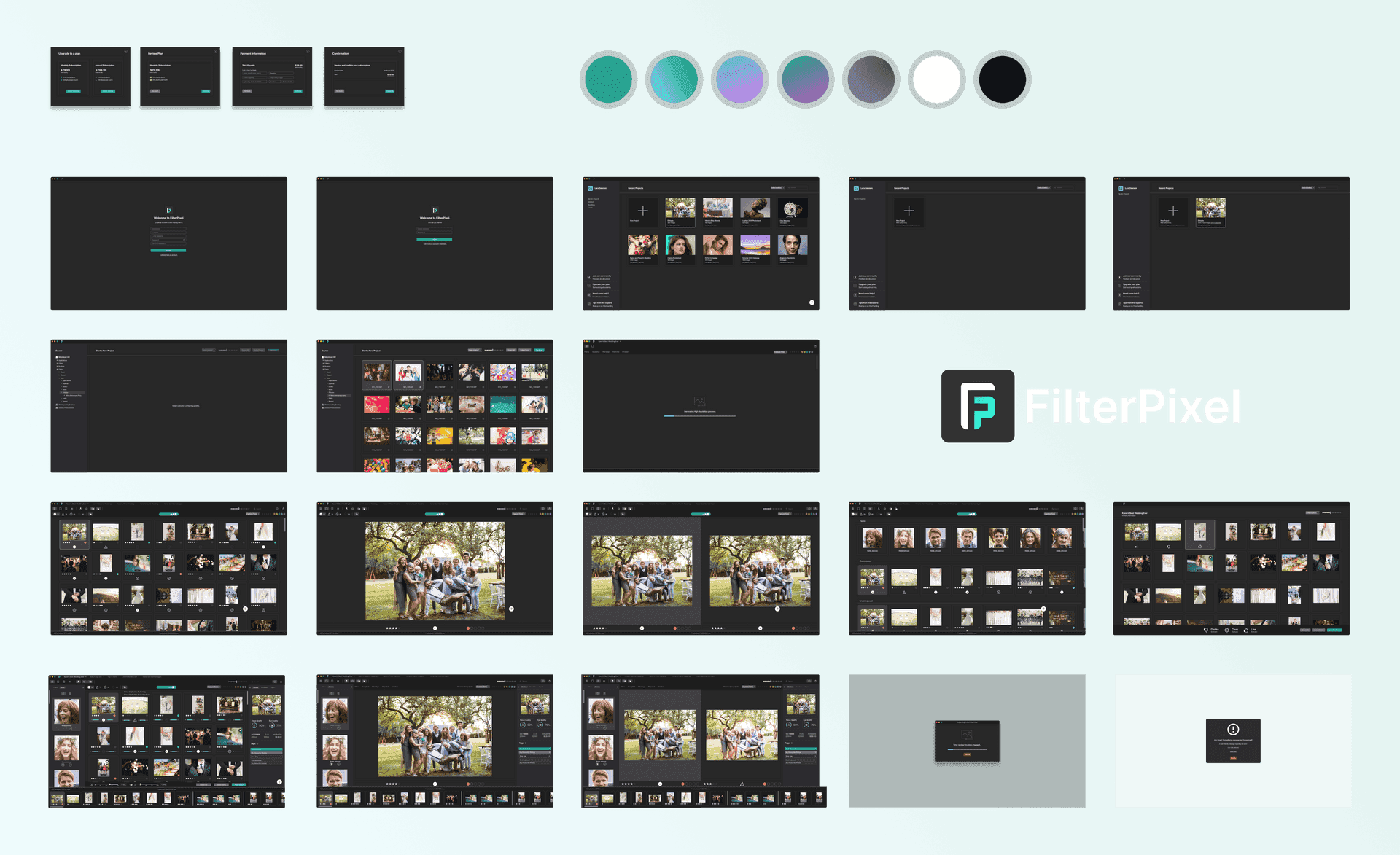
- Project management hub as the central workspace
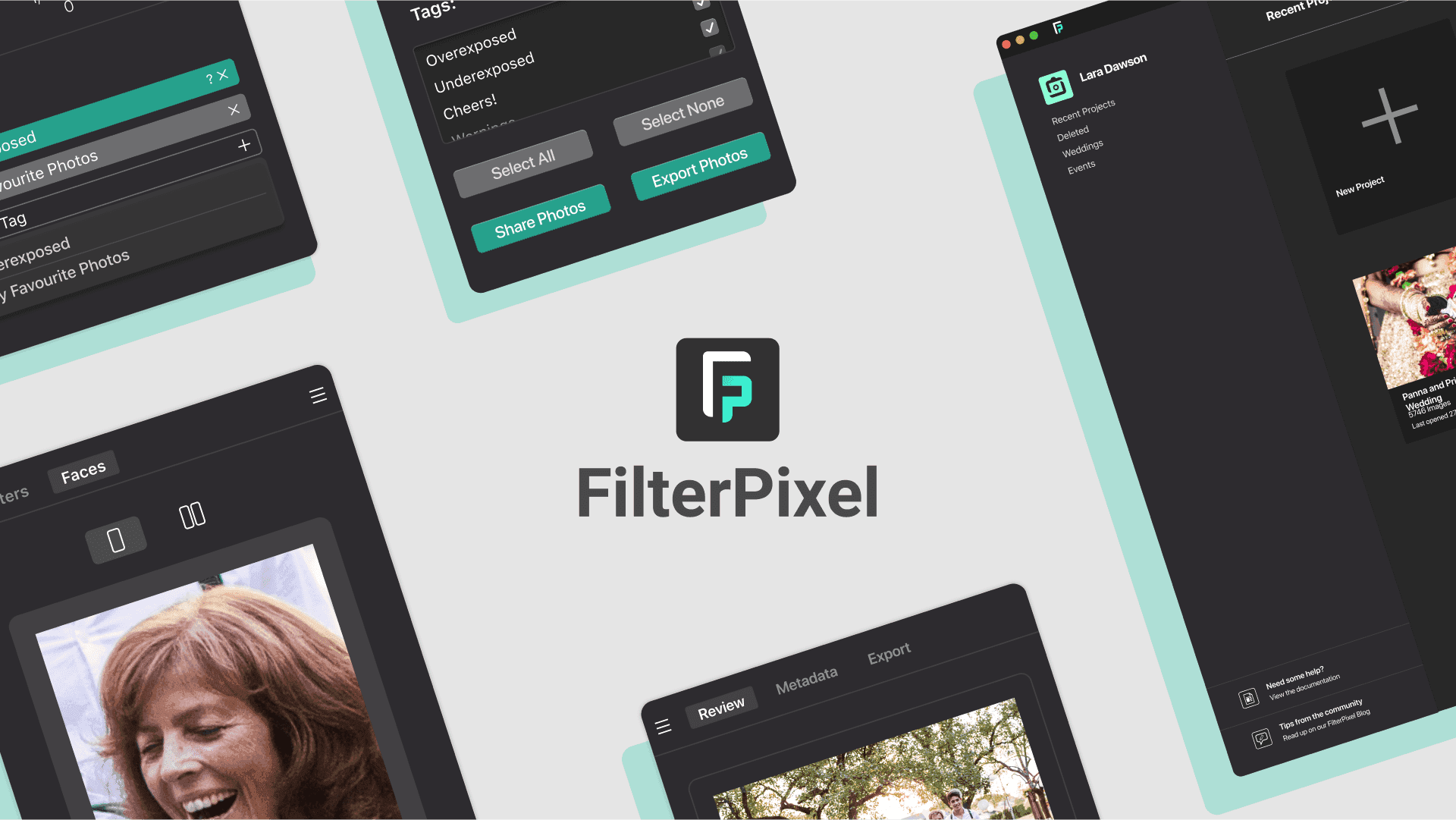
- Multimodal views: grid, detail, and faces views for different stages of review
- Customizable panel layouts: resizable, detachable, and hideable panels
- Faces View panel: dedicated face inspection without manual zoom
Each feature went through the same cycle: research insight, design sprint, build, test with real photographers, iterate.


Impact
FilterPixel gained real traction. The product secured backing from 100X.VC (Class 05 portfolio), thousands of photographers adopted it as their primary culling tool, and the Product Hunt launch was well received. The product was recognized as a trailblazer in the AI photography space.
User feedback confirmed the design direction: the familiar shortcuts, layouts, and progressive AI trust model helped photographers adopt the tool without a steep learning curve. The Faces View panel was consistently called out as highly intuitive.
Reflection
This was my first experience building a product from zero at a startup, and it shaped how I think about design. The biggest takeaway was about AI trust: users don't want AI to replace their judgment, they want AI to augment it. Making the AI transparent and keeping the photographer in control was the single most important design decision we made.
Working on a small team also taught me the value of wearing multiple hats. When you're doing the research, designing the flows, and contributing to the build, there's no room for decisions to get lost in translation. That tight loop between understanding the problem and shipping the solution is something I've carried into every role since.